Plants vs. Undead 3D: A Chillingly Cute Take on Tower Defense!
Dive into a charming 3D recreation of a beloved plant-defense game! Discover how CodeWisp empowers creators to bring vibrant, action-packed worlds to life.
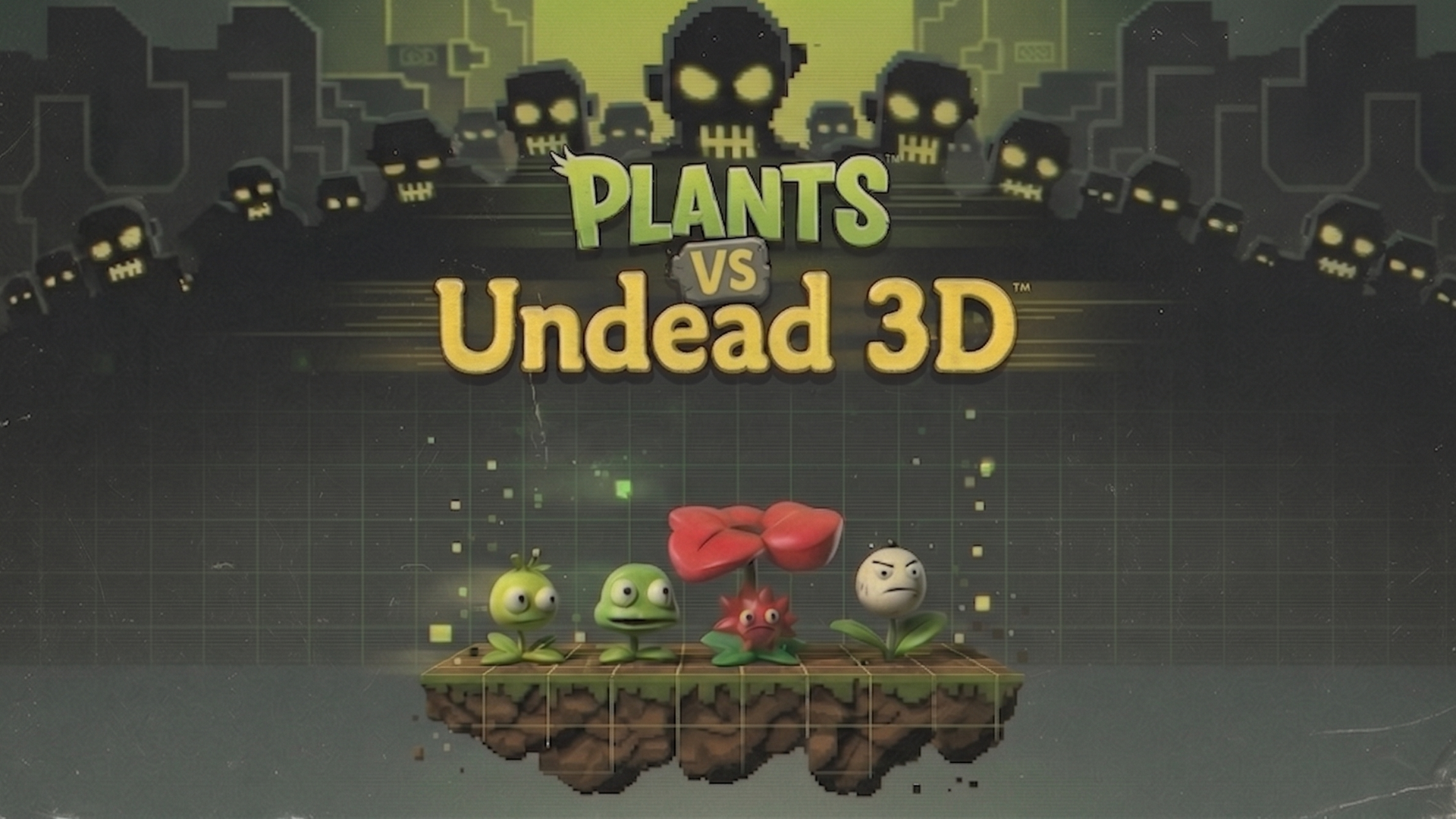
Plants vs. Undead 3D: A Chillingly Cute Take on Tower Defense!
Get ready to defend your lawn in a whole new dimension! We're thrilled to showcase "Plants vs. Undead 3D," a delightful and engaging 3D recreation of a classic tower defense experience. Fuelvin, our talented creator, has brought this beloved game to life with vibrant visuals and engaging gameplay, all powered by the creative flexibility of CodeWisp.
From Concept to 3D Reality
"Plants vs. Undead 3D" captures the essence of its inspiration: strategically placing a variety of plant defenders to fend off relentless waves of undead attackers. But this time, it's all in glorious 3D! The project is a testament to how modern game development tools can transform familiar concepts into fresh, immersive experiences. Fuelvin has masterfully translated the core mechanics – planting, shooting, and surviving – into a visually appealing and interactive 3D environment.
A Peek Under the Hood: CodeWisp in Action
Fuelvin leveraged CodeWisp's robust features to build "Plants vs. Undead 3D." The provided code snippets offer a glimpse into the foundational classes that make this game tick. Let's break down some of the technical highlights:
GameObject3D.js: The Building Blocks
At the heart of any 3D game is the concept of game objects. The GameObject3D class serves as the fundamental blueprint for all entities in the game. It manages essential properties like position, rotation, velocity, and the crucial alive state.
class GameObject3D {
  constructor(scene) {
    this.scene = scene;
    this.mesh = null; // The 3D model representing the object
    this.position = new THREE.Vector3();
    this.rotation = new THREE.Euler();
    this.velocity = new THREE.Vector3();
    this.name = 'GameObject3D';
    this.alive = true;
  }
  // ... other methods like update, getBounds, destroy
}
This class provides a clean API for updating object transformations and handling their lifecycle. The update method ensures that the 3D mesh accurately reflects the object's current state, while destroy handles cleanup.
Tile.js: The Battlefield Grid
The Tile class extends GameObject3D to represent the individual squares on the lawn where players can plant their defenses. Each tile is positioned precisely on the grid, and its material alternates between two shades of green, creating a visually appealing checkerboard pattern.
class Tile extends GameObject3D {
  constructor(scene, row, col) {
    super(scene);
    this.name = 'Tile';
    this.row = row;
    this.col = col;
    this.plant = null; // Stores the plant placed on this tile
    this.position.set(col * 2 - 8, 0.05, row * 2 - 4);
    this.createMesh();
  }
  // ... createMesh method
}
The createMesh method demonstrates how simple geometries (like BoxGeometry) and materials (MeshLambertMaterial) are used to construct the visual representation of the tiles.
Plant.js: The Arsenal of Defense
The Plant class is where the real variety and personality of the game shine. This class handles the unique behaviors and appearances of different plant types, from the projectile-firing Peashooter to the defensive Wallnut and the sun-producing Sunflower.
class Plant extends GameObject3D {
  constructor(scene, type, row, col) {
    super(scene);
    this.name = 'Plant';
    this.type = type;
    this.row = row;
    this.col = col;
    // ... plant-specific properties like hp, timers, etc.
    this.position.set(col * 2 - 8, type === 'potato_mine' ? 0.1 : 0.6, row * 2 - 4);
    this.createMesh();
  }
  // ... createMesh and helper methods like _buildPeashooter, _buildSunflower, etc.
}
Fuelvin has gone above and beyond with the createMesh method, implementing intricate logic to build visually distinct and charming 3D models for each plant. The use of THREE.Group allows for complex hierarchical models, and the detailed _addCuteEyes and _addCuteSmile functions bring a delightful, chibi-inspired aesthetic to the plant characters. The code also hints at more advanced features like timed actions (shootTimer, sunTimer) and state management (chomperState).
Key Features and Technical Highlights:
- Charming 3D Aesthetics: The project boasts a visually appealing, stylized 3D look with cute character designs and vibrant environments.
- Core Tower Defense Mechanics: Successfully recreates the strategic depth of placing units and defending against waves of enemies.
- Modular Design: The use of classes like
GameObject3D,Tile, andPlantpromotes a well-organized and maintainable codebase. - Three.js Integration: Leverages the power of Three.js for 3D rendering, geometry, and materials, showcasing CodeWisp's seamless integration with popular libraries.
- Customizable Plant Models: The
Plant.jsfile demonstrates how to build complex, animated 3D models programmatically, allowing for a wide variety of unique defenders.
"Plants vs. Undead 3D" is a fantastic example of what can be achieved with CodeWisp. It's a project that's not only fun to play but also a valuable learning resource for aspiring game developers. We can't wait to see what Fuelvin creates next!
Frequently Asked Questions
What is "Plants vs. Undead 3D"?
"Plants vs. Undead 3D" is a 3D recreation of a popular plant-defense tower game. Players strategically place various plant units to defend their lawn against waves of zombie enemies.
How was "Plants vs. Undead 3D" built?
The project was built using CodeWisp, an AI-powered game creation platform. It utilizes JavaScript and the Three.js library for 3D rendering and game logic, with classes like GameObject3D, Tile, and Plant forming the core structure.
What makes the plant designs unique?
The plant designs in "Plants vs. Undead 3D" are intentionally stylized and 'cute' with chibi-inspired proportions, large eyes, and expressive features, achieved through detailed 3D modeling within the Plant.js class.
Can I add new plant types to this project?
Yes, the modular design of the Plant.js class allows for easy expansion. By creating new methods within the Plant class to define the geometry and behavior of a new plant type, you can add it to the game.
What is the role of the GameObject3D class?
The GameObject3D class acts as a base class for all entities in the 3D game world. It manages fundamental properties such as position, rotation, velocity, and whether the object is currently active or not.